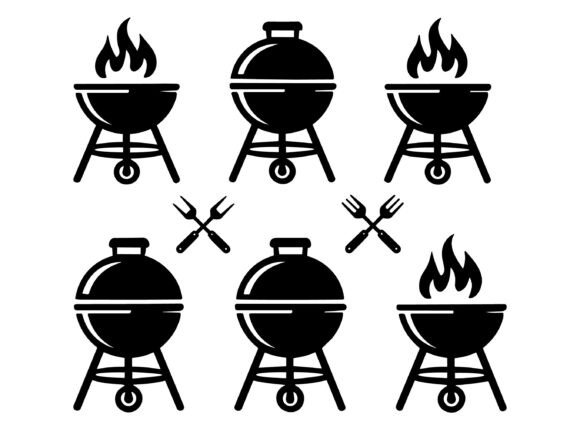
BBQ Grill Icon Set Vector: Smart Choices for Creators and Small Businesses
If you're designing a summer menu, launching a food truck brand, crafting custom apparel, or preparing a backyard party invitation, the right visual assets make all the difference. The BBQ Grill Icon Set Vector is more than just a collection of grilling silhouettes — it's a versatile, production-ready toolkit built for real-world use. These icons come in EPS, SVG, and JPEG formats, meaning they scale cleanly for print, cut cleanly on machines like Cricut or Silhouette, and adapt easily to digital or physical products.
What People Often Misunderstand About BBQ Grill Icon Sets
Many assume “vector” automatically means “ready for anything.” Not quite. A true vector file must be fully editable — with clean paths, no embedded rasters, and layered, grouped elements that allow individual color changes. Some sellers label low-res JPEGs or flattened SVGs as “vectors,” leading buyers to discover too late that icons won’t recolor properly in Illustrator or won’t cut cleanly on a vinyl plotter.
Another common misconception is that “print-ready” means “plug-and-play.” In reality, print readiness depends on your output method. For screen printing on t-shirts, you’ll need solid black outlines and simplified shapes — not delicate gradients or overlapping transparent layers. For laser-cut wood signs, you’ll need closed paths with no stray anchor points. The BBQ Grill Icon Set Vector meets these needs because each icon is hand-optimized: stroke-free, path-closed, and built with consistent line weights and spacing.
Why Format Choice Matters More Than You Think
EPS files are ideal for professional print shops using older RIP software — they preserve compatibility across Adobe Creative Suite versions. SVG files shine in web design and modern cut machines: lightweight, responsive, and natively supported by platforms like Canva, Cricut Design Space, and Silhouette Studio. JPEGs? They’re strictly for quick mockups or social media previews — never for scaling or cutting.
A beginner might download the JPEG thinking it’s “easier,” only to find their t-shirt design pixelates when enlarged. Or worse — upload an unzipped EPS to a cut machine expecting SVG behavior, then waste material on misaligned cuts. Always match the format to your tool and purpose. If you're unsure, start with the SVG — it’s the most forgiving for hobbyists and small business owners alike.
Color Flexibility Isn’t Just Convenient — It’s Essential
The claim “100 color changeable” sounds great — but only if the icons are built with editable fills (not locked swatches or raster overlays). This set delivers exactly that: every element is a live vector shape, so you can swap colors in seconds using the Eyedropper or Swatches panel — no tracing, no redrawing, no guesswork.
Imagine creating matching merch for a local BBQ festival: navy shirts with white grill icons, koozies with gold accents, and chalkboard-style posters with burnt orange silhouettes. With this set, one click updates all — saving hours over manually editing each icon. Without editable vectors, you’d be stuck duplicating layers, adjusting opacity, or relying on filters that degrade quality.
Don’t Skip the Unzip Step — It’s Not Optional
These files arrive in a ZIP folder — a standard, efficient way to bundle multiple formats and preview images. But if your device lacks unzipping software (like 7-Zip, WinRAR, or the built-in tools in macOS and newer Windows), you’ll see only a compressed file — not the actual icons. No error message, no warning — just confusion.
Before downloading, verify your system can extract ZIPs. On most devices, double-clicking works fine — but some tablets or Chromebooks require a free app like “ZIP Extractor” or “Files by Google.” Skipping this check leads to frustration, support requests, or even mistaken refunds — none of which help your project move forward.
Real-World Uses That Go Beyond the Obvious
Yes, these icons work beautifully on invitations and stickers — but their real strength lies in scalability across business touchpoints. A food blogger uses the SVGs to build branded Pinterest pins with consistent grill motifs. A café owner drops the EPS into their menu layout software and adjusts colors to match seasonal decor. A craft vendor imports the JPEG previews into Etsy listings while using the SVGs to generate iron-on transfers for aprons.
Even educators benefit: a middle-school STEM teacher uses the grill silhouettes to illustrate heat transfer concepts, resizing them freely for handouts or interactive whiteboards. Because the icons are clean and minimal, they communicate clearly without visual noise — supporting comprehension, not competing with it.
What to Check Before You Download or Buy
- Preview accuracy: Compare the thumbnail images with actual zoomed-in views of the SVG/EPS in your design software. Do lines stay sharp? Are there hidden layers or clipping masks?
- File naming: Well-organized sets use clear names like “bbq-grill-side-view.svg” — not “icon123.eps.” Consistent naming saves time when managing dozens of assets.
- Licensing clarity: Confirm the license allows commercial use *and* product resale — especially important if you plan to sell printed mugs, tote bags, or digital templates. This set explicitly permits both.
- Background treatment: All icons should have transparent backgrounds (not white boxes) unless otherwise noted. White backgrounds cause layering issues in cut software and digital layouts.
Final Thought: Start Simple, Scale Intentionally
You don’t need every format at once. Begin with the SVG if you’re new to vectors — test it in your cut machine or web builder first. Once you confirm alignment, sizing, and color behavior, move to EPS for high-res print jobs. Keep the JPEG handy for quick client proofs or social media drafts.
And remember: great design isn’t about having the most icons — it’s about having the right ones, built well, and used intentionally. The BBQ Grill Icon Set Vector supports that intentionality. It respects your time, your tools, and your goals — whether you're pressing a single shirt or launching a full-branded product line.